VS2022 설정

IDE 설정

도구 -> 옵션
프로젝트 및 솔루션 -> 일반
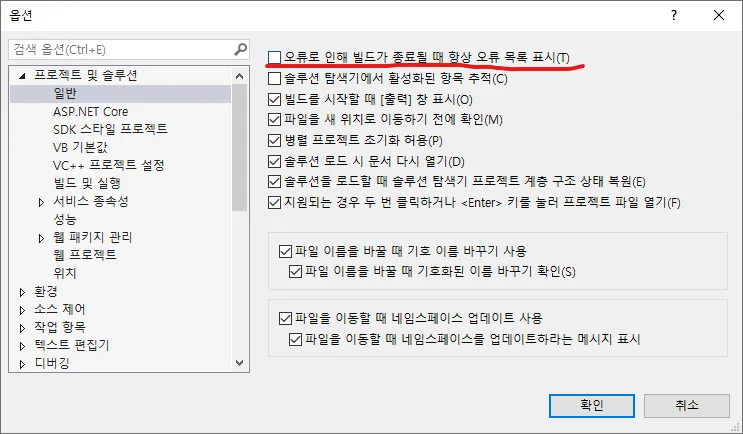
4. Archive/WhiteEngine/Attachments/Pasted image 20250222111619.png

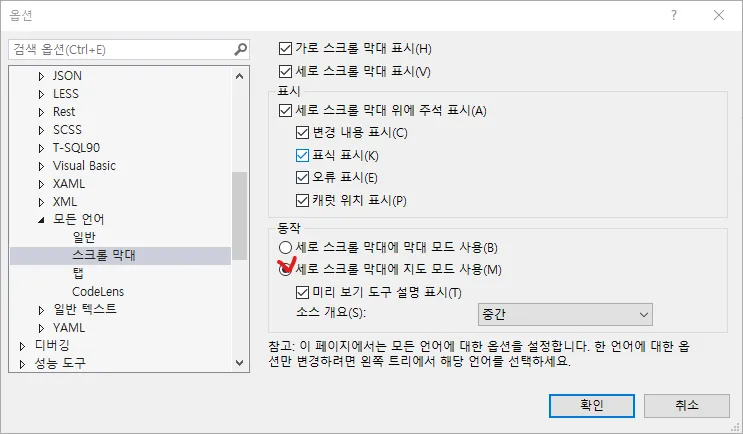
텍스트 편집기 -> 모든 언어 -> 스크롤 막대
4. Archive/WhiteEngine/Attachments/Pasted image 20250222111639.png

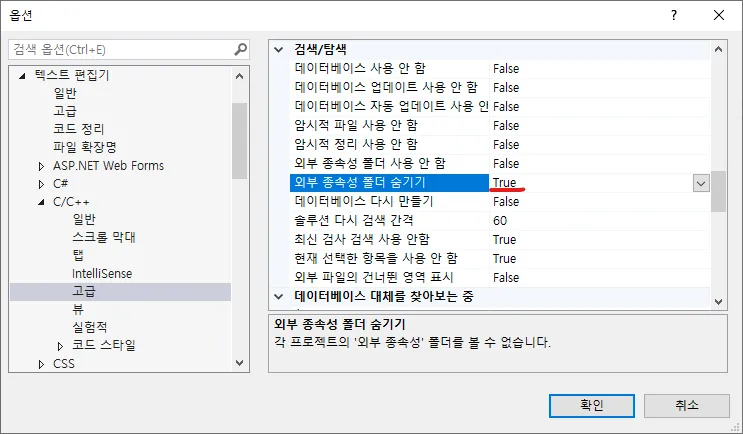
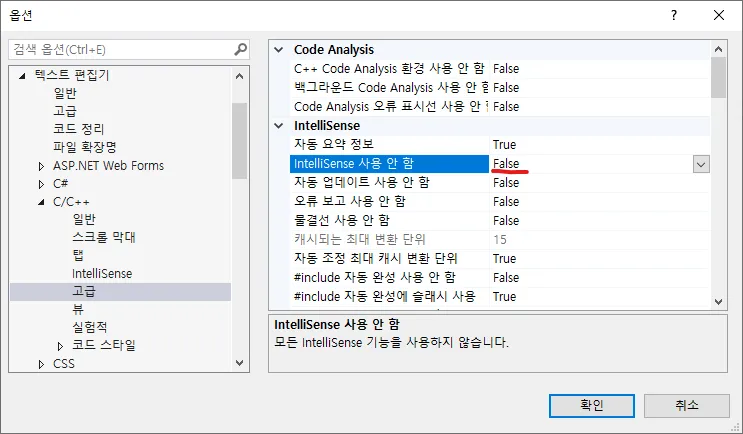
텍스트 편집기 -> C/C++ -> 고급
4. Archive/WhiteEngine/Attachments/Pasted image 20250222111657.png
4. Archive/WhiteEngine/Attachments/Pasted image 20250222111703.png

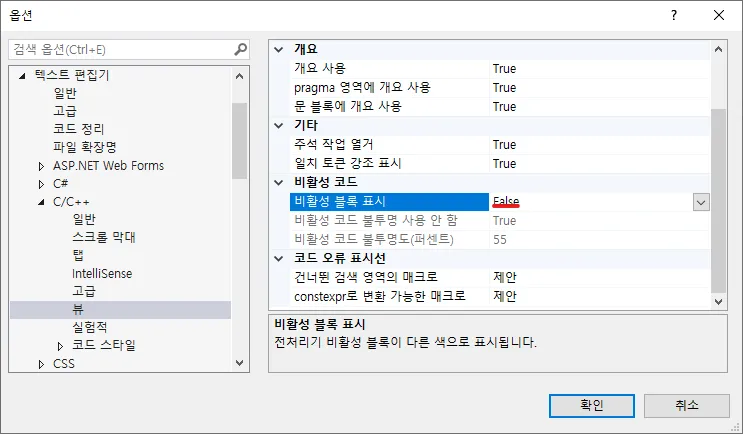
텍스트 편집기 -> C/C++ -> 뷰
4. Archive/WhiteEngine/Attachments/Pasted image 20250222111719.png

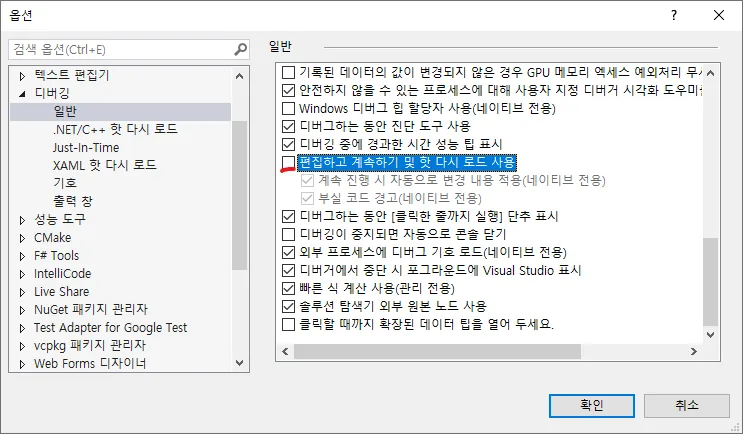
디버깅 -> 일반
4. Archive/WhiteEngine/Attachments/Pasted image 20250222111732.png

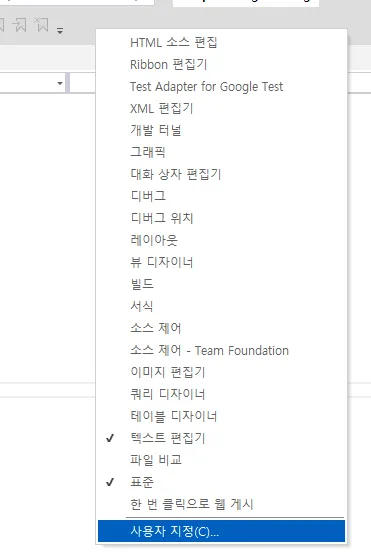
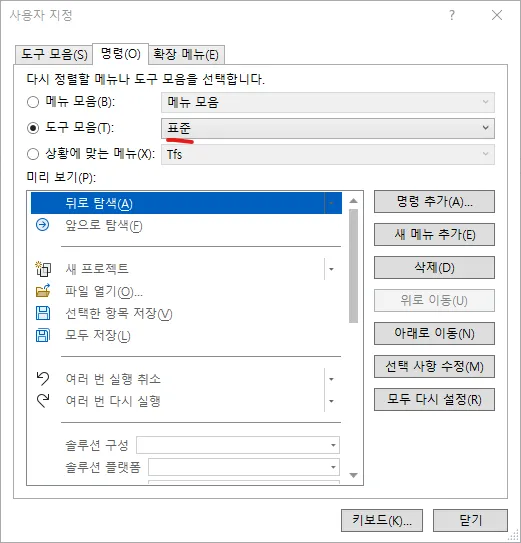
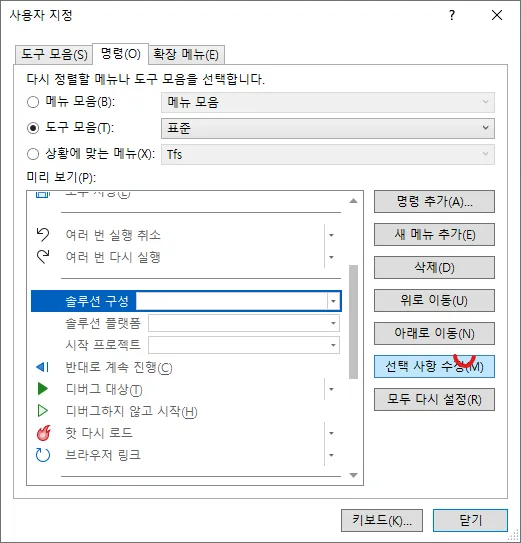
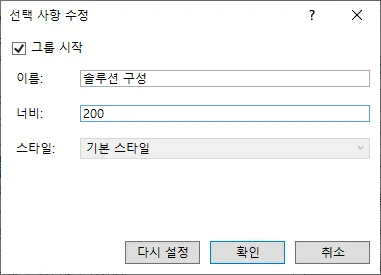
툴바 우클릭 -> 사용자 지정
4. Archive/WhiteEngine/Attachments/Pasted image 20250222111749.png
4. Archive/WhiteEngine/Attachments/Pasted image 20250222111752.png
4. Archive/WhiteEngine/Attachments/Pasted image 20250222111806.png
4. Archive/WhiteEngine/Attachments/Pasted image 20250222111810.png

프로젝트 설정

!Attachments/Pasted image 20240612170948.png
!Attachments/Pasted image 20240612171001.png